

How Do I Find the Correct Toner Cartridge for My Printer?
Buying Guide | South Africa | Updated 2026
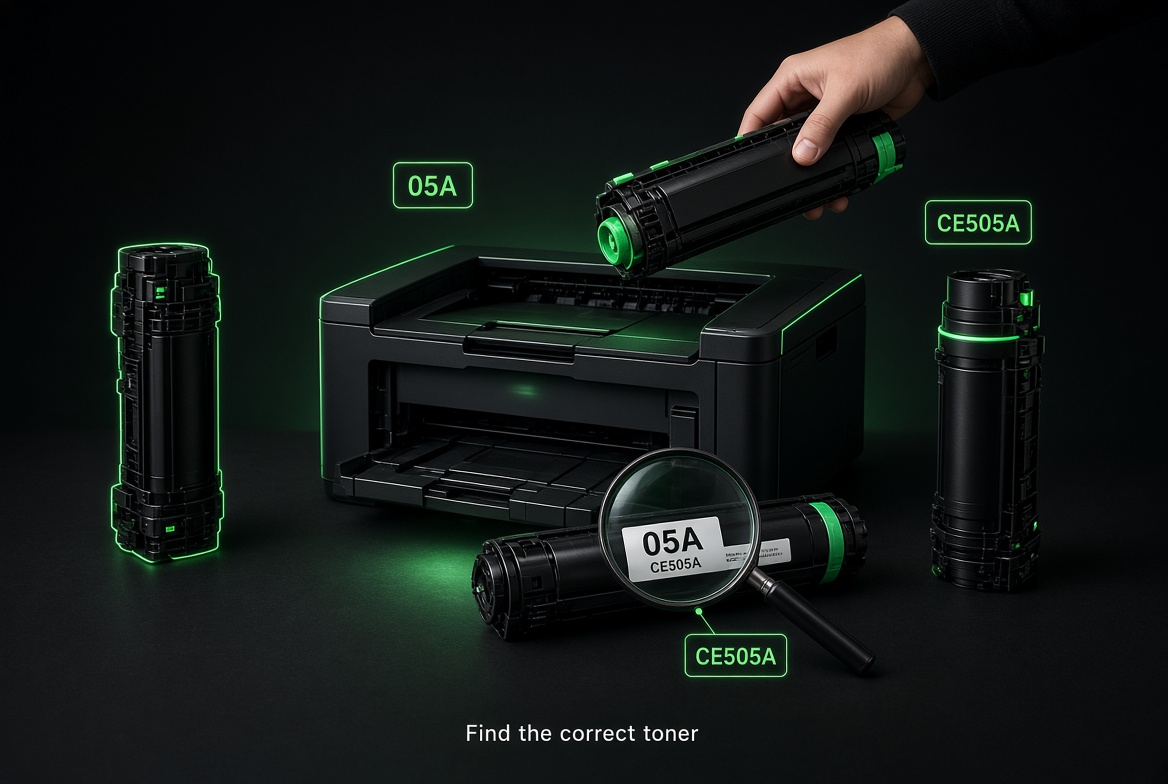
How Do I Find the Correct Toner Cartridge for My Printer?
The shortest answer: match the cartridge number printed on your old toner, or the supplies list printed on the inside of the printer door, to the same number on the box. That number — for example HP 05A (CE505A), Canon 047, or Brother TN-2355 — is more reliable than the printer’s marketing name. Once you have it, search that code on Toner Corporation and choose original or compatible toner for your HP, Canon, Brother, Lexmark, Xerox, Samsung or Kyocera machine.
This guide walks you through every reliable way to identify the correct toner cartridge, explains the difference between model codes and yield codes, and shows where to buy in South Africa — including Toner Corporation’s new Core, Business and Priority service options on HP and Canon laser toners.
The fastest ways to identify your toner cartridge
1. Read the number on the old cartridge
Open the printer, pull out the used toner, and look at the label on the cartridge body or the original box. You want the short marketing number and the longer part number.
- HP example: 05A and CE505A
- Canon example: Cartridge 047 or CRG-047
- Brother example: TN-2355 or TN-3487
Photograph both numbers. If the box is gone, the cartridge label is still enough to search.
2. Check the label inside the printer
Most laser printers have a sticker on the inside of the front cover, toner door, or behind the paper tray. It lists the exact toner (and sometimes drum) numbers the machine accepts. This is the method manufacturers recommend when the old cartridge is missing.
3. Use the printer screen or driver
On machines with a display, open Supplies, Toner Status, or Consumables. Many HP LaserJet and Canon i-SENSYS models show the cartridge series there. On a computer, open the printer properties or the brand’s app (HP Smart, Canon PRINT, Brother Mobile Connect) and look for Supplies or Order Information.
4. Use the printer model number
If the cartridge is missing, find the printer model on the front bezel or the rating plate on the back. Typical examples: HP LaserJet Pro M404dn, Canon i-SENSYS MF754Cdw, Brother HL-L2460DW. Then search that model on tonercorp.co.za or on the brand’s official supplies page. Always confirm the cartridge code, not only the printer name — one series can take two different yields (standard and high-yield).
5. Confirm on the official brand site
Cross-check the number on the manufacturer’s own supplies tool before you buy. Useful starting points:
- HP ink and toner finder and HP Support
- Canon South Africa and Canon support / genuine supplies
- Brother South Africa supplies
- Lexmark supplies Xerox supplies · Kyocera
What the numbers on a toner cartridge actually mean
Marketing number vs part number
HP prints both. “26A” is the easy name; “CF226A” is the part number. Compatible listings on Toner Corporation usually include both so you can search either way. Canon often uses Cartridge 069 / CRG-069. Brother uses TN- for toner and DR- for the drum unit — do not buy a drum when you only need toner.
Standard yield vs high yield
A letter on the end usually changes page yield, not printer fit. HP 26A and 26X, 05A and 05X, Canon 069 and 069H, Brother TN-2320 and TN-2310 are common pairs. High-yield (X, H, XL, High Yield) costs more upfront and prints more pages. Confirm your printer accepts the high-yield version before you upgrade.
Colour sets and value packs
Colour lasers need black, cyan, magenta and yellow. Toner Corporation sells singles and BCMY value packs for popular HP and Canon series. If only one colour is empty, buy that colour. If three are low, a pack is usually cheaper per page. Browse HP colour laser toners and Canon colour laser toners.
Toner is not ink
Inkjet printers use ink cartridges or bottles. Laser printers use toner powder in a cartridge, and some models also use a separate drum. Mixing the two is the most common buying error. If your machine says LaserJet, i-SENSYS laser, HL-L, or “laser multifunction”, you need toner.
Shop the correct category on Toner Corporation
Toner Corporation has supplied printer cartridges in South Africa since 2001 — original and compatible — to homes, schools, government and business, with nationwide delivery. Start at Printer Cartridges or jump straight to your brand.
- All HP consumables
- HP black & white laser toners
- HP colour laser toners
- Canon black & white laser toners
- Canon colour laser toners
- Brother cartridges
- Xerox toner cartridges
- Current specials
On each product page, check the compatible printer list. A good listing will name the cartridge code and the printer models it fits (for example HP 106A / W1106A for Laser 107 and MFP 135/137 series).
Original OEM toner vs compatible generic toner
You have two legitimate options once the number is correct:
- Original (OEM): made by HP, Canon, Brother and the other brands. Highest assurance of firmware recognition and print quality. Higher price per page.
- Compatible / generic: built to fit the same printers, sold at a lower cost per page. Toner Corporation’s line is sold as a money-wise alternative with a guarantee — the company slogan is “cutting costs, not corners.”
Page yields on both types are quoted at 5% coverage — the same ISO method OEMs use. Heavier graphics cut the yield. If you are unsure which to pick, start with the compatible for everyday mono documents, and keep original on colour or mission-critical machines.
New service options for HP and Canon laser toners
Finding the right cartridge is step one. What happens if a cartridge fails is step two. Toner Corporation now offers three service tiers on HP and Canon laser toners only — selected on the product page at checkout. Full terms live on the Services page.
Core — 30-day warranty, standard replacement
Entry-level cover against manufacturing defects. After a fault is reported and verified with basic troubleshooting and photo proof, you send the suspected cartridge back first. A replacement is dispatched once the returned unit is assessed. Best for users who can wait and want the lowest service cost.
Business — 180-day warranty, advanced replacement
Supplier-backed 180-day limited warranty. After remote verification (troubleshooting plus photo proof of the error, damaged cartridge or poor print sample), a new cartridge is sent before you return the old one. That cuts downtime for offices that print every day.
Priority — 180-day warranty, advanced replacement with priority delivery (Gauteng only)
Same 180-day cover and advanced replacement as Business, plus priority handling and express replacement inside the Gauteng eligibility zone (Johannesburg, Pretoria, Midrand, Krugersdorp, Centurion and nearby areas — checked by delivery address at checkout).
Choose Core if you want simple cover. Choose Business if downtime costs you money. Choose Priority if you are in Gauteng and want the fastest swap path on HP or Canon laser toner.
Common mistakes that lead to the wrong cartridge
- Buying by printer series only (LaserJet Pro 400) instead of the exact cartridge code.
- Confusing a toner (TN-) with a drum (DR-) on Brother machines.
- Ordering ink for a laser printer, or toner for an inkjet / MegaTank / EcoTank.
- Mixing regional SKUs. Some HP cartridges are region-locked. Buy from a South African supplier.
- Assuming every “X” or “H” high-yield cartridge fits every printer in the family. Check the product page.
- Ignoring chip / firmware messages. If a compatible chip is rejected, contact support before forcing a reset that can hide a real hardware fault.
How to search on Toner Corporation once you have the number
- Type the short code (05A, 047, TN-2355) into the site search.
- If nothing appears, try the long part number (CE505A, W1106A, CRG-069).
- Open the product and read Compatible Models before adding to cart.
- On HP and Canon laser toners, pick Core, Business or Priority on the product page.
- For bulk or account pricing, email sales@tonercorp.co.za or call 010 013 1736 / WhatsApp 071 876 7850.
Frequently asked questions
How do I know which toner my HP printer uses?
Look at the old HP cartridge for the series number (05A, 26A, 410A) and the part number (CE505A, CF226A, CF410A). You can also use HP’s official ink and toner pages or search the same codes under HP consumables at Toner Corporation.
How do I find the toner for a Canon i-SENSYS or imageCLASS printer?
Canon laser toners are labelled Cartridge 047, 069, 057 and similar. Match that number, then shop Canon mono laser toners or Canon colour laser toners. Confirm on Canon South Africa if you want the OEM reference first.
Will a compatible toner work in my printer?
A correctly coded compatible cartridge is designed for that printer model. Print quality and yield should track the 5% coverage rating. Firmware on some newer HP and Brother devices can prompt about non-OEM supplies. If that happens, contact Toner Corporation support with the printer model and the product you bought.
What is the difference between 26A and 26X toner?
Both fit the same printer family. 26X is the high-yield version and prints more pages. The same logic applies to many HP A/X pairs and Canon standard vs H cartridges. Check the product page for exact yield and compatible models.
Do I need a new drum as well as toner?
Only if your printer uses a separate drum unit (common on Brother) and the drum life is finished. Toner empty does not automatically mean drum empty. Replace the drum when the printer asks for it or when print defects remain after a new toner is installed.
How long is the warranty on Toner Corporation cartridges?
Standard purchases carry the store guarantee outlined in FAQs. On eligible HP and Canon laser toners you can add Core (30-day, standard replacement), Business (180-day, advanced replacement) or Priority (180-day, advanced replacement with priority delivery in Gauteng). See Services.
Can I collect an order?
Yes, from the Roodepoort office if the order is placed with a salesperson on 010 013 1736 — not as a walk-in warehouse collection. Confirm the order is ready before you travel. Next-business-day delivery applies to many Johannesburg-area orders placed before the daily cut-off.
What if I still cannot find the cartridge number?
Send a photo of the printer’s front, the back rating plate, and the old cartridge (if you have it) to sales@tonercorp.co.za or WhatsApp 071 876 7850. The team will match the toner for you.
Quick checklist before you click buy
- Cartridge short code and part number match the old unit or the door sticker.
- Printer model appears on the product’s compatible list.
- You chose toner, not ink, and toner, not a drum — unless you need both.
- Yield (standard vs high-yield) is the one you actually want.
- On HP and Canon laser, you selected Core, Business or Priority if you want extra cover.
- Delivery address is correct — Priority express handling is Gauteng-only.
Ready to order the correct toner?
Shop all printer cartridges, go straight to HP or Canon, or check this week’s specials. Toner Corporation delivers nationwide. Questions: sales@tonercorp.co.za · 010 013 1736 · WhatsApp 071 876 7850.
Toner Corporation — The office printing company.